
The Brain of My Home: A Deep Dive into My Homelab 2026
Welcome to my homelab. It's more than just a stack of servers; it's a playground for learning, a production environment for my personal tools, and the digital brain of my home. In this post, I want to take you through the philosophy behind my setup, the hardware that powers it, and the software stack that keeps it all humming.
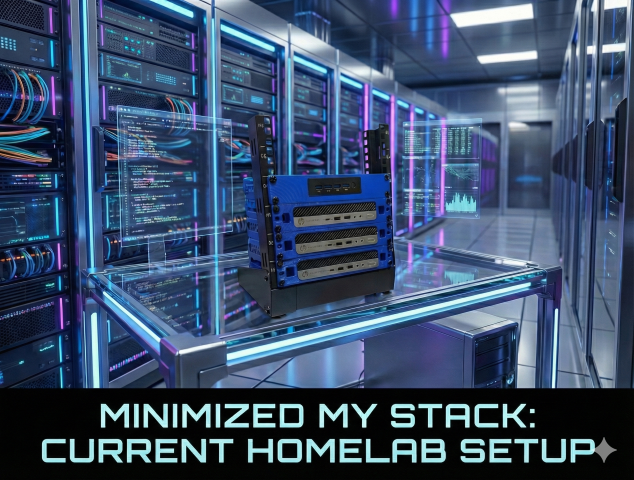
My current homelab setup in all its glory.
The Philosophy
My goal has always been to strike a balance between reliability, flexibility and Cost. I need a system that is stable enough to run essential home services (like media streaming and productivity tools) but flexible enough to let me spin up new containers, break things, and learn from the process without taking down the whole network.
The Gear: Hardware Breakdown
The physical backbone of this lab consists of three main nodes, each serving a distinct purpose. I've standardized on efficient, small form-factor hardware to keep power consumption low while maintaining high performance.
1. The Workhorse: pve-home
This is my primary production node. It runs the services that need to be up 24/7.
- Specs: Intel Core i5-6600T, 23GB RAM, NVMe storage.
- View Full Specifications
2. The Sandbox: pve-prod
This node is for experimentation and redundancy. It mirrors much of the production capability but is often where I test new stacks before promoting them.
- Specs: Intel Core i5-6500T, 31GB RAM.
- View Full Specifications
3. The Vault: pbs-home
Backups are not optional. This node runs Proxmox Backup Server (PBS), ensuring that if I accidentally rm -rf the wrong thing, I can roll back in minutes.
- Specs: Intel Core i5-6500T, 23GB RAM.
- View Full Specifications
4. The Edge: pvedge
This node is my low-power edge device, perfect for running lightweight services or acting as an entry point for specific tasks.
- Specs: Intel Celeron J4125, 7.6GB RAM.
- View Full Specifications
The Core: Virtualization & Containers
At the hypervisor level, I run Proxmox VE on All nodes. It gives me the freedom to run full Virtual Machines (VMs) when I need complete isolation, or lightweight LXC containers for system utilities.
However, the real magic happens inside the VMs, where Docker reigns supreme.
Why Docker?
Containerization has changed the way I think about software. Gone are the days of dependency hell. Every application I run is containerized, defined by a docker-compose.yml or compose.yml file. This means my entire infrastructure is defined as code. I can wipe a server and have it back up and running with all services exactly as they were in minutes.
- Orchestration: Docker Compose
- Management: Portainer (for when I need a GUI) & CLI
The Gatekeeper: Traefik & Security
Exposing services to the network (and the internet) requires a robust gatekeeper. For this, I use Traefik.
Traefik acts as my reverse proxy, sitting in front of all my Docker containers. Here is why it's a game-changer:
- Service Discovery: I don't write config files for every new service. I just add a label to my Docker container, and Traefik automatically picks it up and routes traffic to it.
- Automatic SSL: Traefik integrates with Let's Encrypt to automatically generate and renew SSL certificates. Every service gets a nice, secure
https://app.mydomain.comaddress.
The Routing Flow:
Request -> DNS -> Traefik -> Docker Container
The Workflow: From Code to Deploy
I am not just hosting apps; I am building them. My development workflow is designed to be seamless.
- Code: I write code locally in VS Code, Antigravity or connect directly via Remote SSH to my development VM.
- Build: I define the environment in a
Dockerfileso it matches production exactly. - Deploy: A simple
docker compose up -dbrings the service to life. Traefik spots the new container, grabs an SSL certificate, and boom—it's live.
Service Spotlight: What's Running?
So, what is all this hardware actually doing? Here are a few highlights:
- Productivity: Obsidian acts as my personal knowledge base.
- Media: Jellyfin serves up movies and music.
- Monitoring: Beszel and Pulse and Uptime Kuma keep an eye on system health, letting me know if a drive is filling up or a container has crashed or a system is down.
- Custom Dev: I run several custom apps, including a Grocery Tracker and a retro-styled monitoring dashboard called NeoStatus.
Future Goals
A homelab is never "finished." Here is what is on my radar:
- cluster High Availability: Setting up a true Proxmox cluster for automatic failover.
- Offsite Backup: Pushing critical encrypted backups to a remote location.
- More Automation: Writing Ansible playbooks to automate the initial server provisioning.
Thanks for reading! If you have questions about the specific configs or hardware, feel free to reach out.